-
Downloads
- Joomla Downloads Joomla! Templates & Extensions
- Virtuemart Downloads Extension Specific Downloads
- JoomShopping Downloads Extension Specific Downloads
- Blog
Switch language:
Switch language:


We help you to make your Virtuemart shop better than the other ones.
Your success is important for us. Therefore we are available for you before, during and after the purchase!
There are tons of features, specials and advantages for you which we like to make more clear for you.
Read for yourself, in the following we show you what makes a Virtuemart template from yagendoo so special and how it helps you improving your Virtuemart and while even saving time, nerves and money – also as a layman.
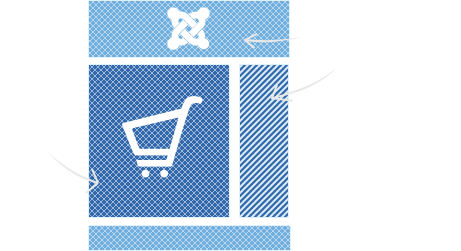

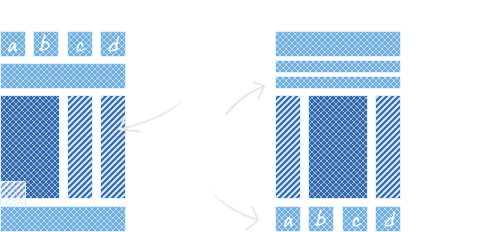
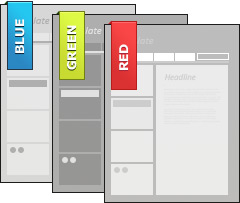
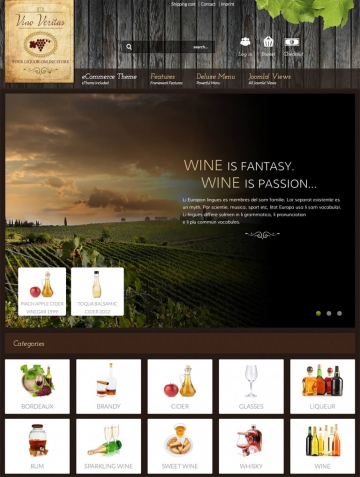
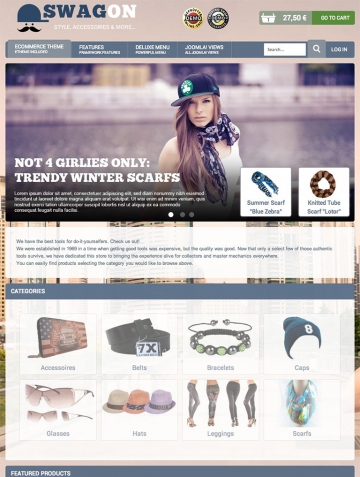
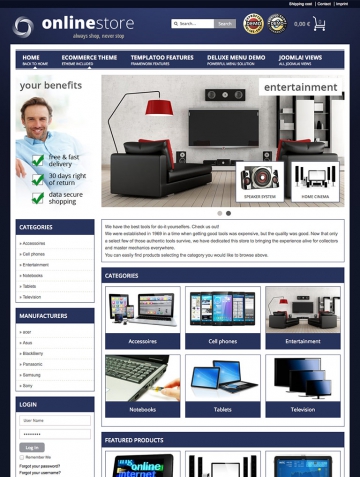
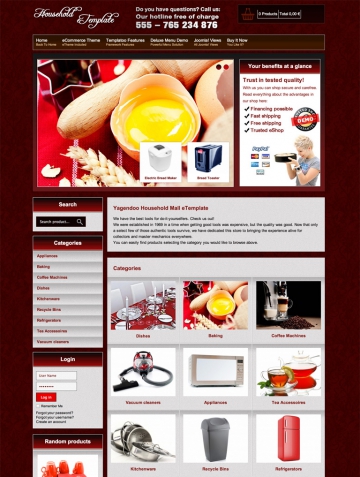
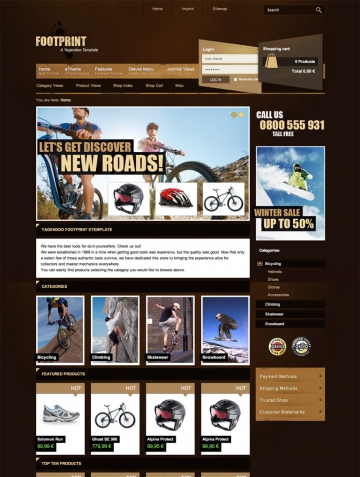
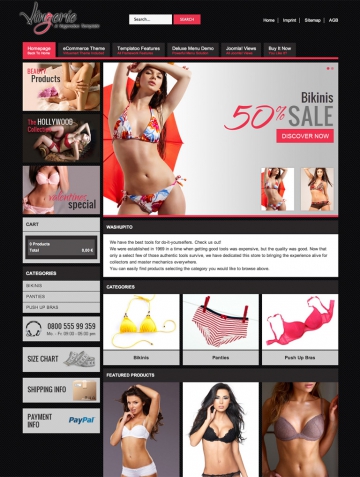
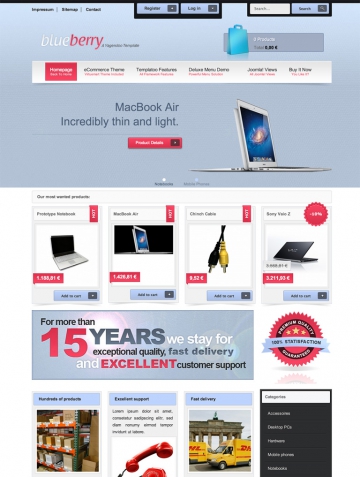
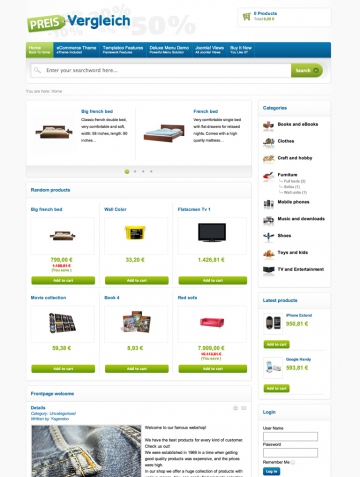
To meet your demands our templates natively contain multiple prefabricated style templates. This means that the alignment is the same, but they can be used in different color variations and styles – selectable with a click. So there is also something that fits your needs.

We use the full Joomla! suffix system so that you are also flexible in the appearance of your modules. You determine which of your modules uses which farb variation on which place. Very simple as you are used to from Joomla! itself.

Your Virtuemart online shop shall appear tidy and consistent. Therefore we set great value on a clean typography – in your extensions as well as also in your contents the CSS typography of the Virtuemart template takes effect so that really everthing is pushed in the right light.

Nevermind where you come from or what is your native language you can use our Virtuemart Templates. We rely on the Joomla! and Virtuemart language files – this our products are always available in the language that you already have installed.

We take care of validity, use modern web techniques and take care of a clean structure of the code.

All our products are built with useful code elements so that search engines can read your site easier.

Optimized code, graphics and a compression of the outputs ensure better loading times.

It does not only look nice, it is also useable well. Many functions are transposed with nice jQuery effects.

All products work perfectly with modern web browsers as Chrome, Firefox, Safari, Opera and Internet Explorer starting with version 8.
 1. Download the package
incl. template, demo content and extensions.
1. Download the package
incl. template, demo content and extensions.
 2. Upload all files
to your server, configure your settings & content
2. Upload all files
to your server, configure your settings & content
 3. Saves time and money
because within a few minutes you are ready for your first sale!
3. Saves time and money
because within a few minutes you are ready for your first sale!
After the purchase you receive free updates. How long, this depends on your license.
All our products are documented carefully – if worst comes to worse.
Every license that you want to extend (no duty!), you get it discounted.
We and our community help you with technical problems – fast and reliable!
You can download your products immediately after we have received your payment.
The installation of our products is a quick and uncomplicated process.
Bought this Virtuemart Template last week, because of the many features is has. Had a little trouble installing the template, but Tobias helped me out quickly. The problem was not in the template but in Virtuemart, but nevertheless they solved the problems!
Lightroom VT is a very clean template, fits exactly to my VM-shop
Sehr flexibles Template!
Since we bought the template we have only received help and support by the yagendoo team in improving our website. Thanks to them that we nowadays have a nice website for our online shop. Our customers love it and we love it also. Is good to know that there is still professional companies that really care to offer a good product and service.
Super Template!! Geschmackvolles sehr professionelles Design. Die Installation war kinderleicht und wenn Yagendoo kompetenten Support erwähnt, dann kann ich das nur bestätigen.
Thank you for an excellent template Yagendoo. Great product & great after sales help. Very happy customer :)
I love this template!! It's clean and user friendly. In addition, the guys at Yagendoo are AMAZING!! I had custom work done and I can't thank them enough!! I highly recommend Yagendoo!
Hallo ich war lange auf der Suche nach einem Template das ich nach meinen Wünschen anpassen kann. Yag Lightroom etemplate mit dem neuen Product Manager passt einfach Super zu mir. Einfache bedienung und ein Klasse Support. Danke

I like this template so much. It is clear and works ready. Ich mag dieses Template sehr. Es ist einfach und arbeitet in Ordnung. There is my version :) Hier ist meine Version :) http://softrainbow.ch
Top Service, top Support, netter Konrakt per e-Mail und sehr geiles Template. Installation einfach und schnell, einfach im backend installieren und Ordner in VM ziehen und schon kann daran gebastelt werden ;-)

Last week I started working with this template and I'm amazed so far. Everything works quit easy and lot's of posibilities. Great job!
For the first time i actually have only positive things to say about a template. Great look, endless possibilities and quick response on support if you need them. They keep updating their templates and packages so you stay away of issues during website updates and such. My first five star rating on a template and a well deserved one might i add.
A Virtuemart template comprises a Joomla template, which also contains what is known as a Virtuemart theme. This means that both Joomla installation and the Virtuemart area of the Joomla e-commerce website can be changed visually. Unlike with many other suppliers, we don't just provide you with a "css facelift" of the existing Virtuemart code structure but offer you a completely revised code basis that will allow you to really set yourself apart visually from other Virtuemart shop operators. In addition, it contains Joomla overrides for our Virtuemart extensions, which are available separately. The Virtuemart is just as easy to install as any other Joomla template. Many settings can be made using parameters in the Virtuemart template. More details can be found in the relevant description of the individual templates and further up on this page.
Yes. We also offer complete Virtuemart quickstart packages for our Virtuemart templates. Please check the relevant options on the detailed page for the template. With the quickstart packages, you can install a complete online shop based on Virtuemart, including Virtuemart template, theme, our Virtuemart extensions and the example data from the demo page, and then fill it with your products in a few minutes. The Virtuemart quickstart packages will also save you lots of time, meaning that you can get back to concentrating on your business itself.
Yes. In the case of technical problems caused by our products, we will be there with help and advice in our support forum. We will, of course, also answer questions that are not directly related to our product to a certain extent. This is, however, subject to our discretion. Unfortunately, questions regarding adaptations or code changes cannot be answered as part of our free product support. We offer fee-incurring premium support for this, and will also be happy to help as a service provider for programming and design work.
This depends on the option you select when making your purchase. The Virtuemart extensions are only included if you select the "Templates, Extensions, Quickstart" option or the corresponding club membership when you make your purchase. However, the templates always include what are known as Joomla overrides for Yagendoo Virtuemart extensions. This means that if you already own the modules, you don't need to buy these again so that the appearance of the modules matches the look of the Virtuemart template.
Yes. All Yagendoo products are multi-lingual and are therefore available in all languages in which Joomla and Virtuemart are available. In addition, you can make changes to the language files of the Virtuemart templates yourself via the files or via the Joomla language manager.
Virtuemart templates change the appearance of the entire Joomla installation, i.e. that of Joomla itself and that of your Virtuemart shop. A Virtuemart theme, on the other hand, only changes the appearance of the shop area of the website – you also need a Joomla template. Our Virtuemart themes can be used with any other Joomla template; this is not possible with templates for Virtuemart.
No. If you want to keep your current Joomla template, then our Virtuemart themes are what you need. Virtuemart themes can be used with any other Joomla template and only change the appearance of Virtuemart, not that of your Joomla installation.
Yes. When you purchase one of our Virtuemart templates, you will get access to all product updates released within the free update period. If you would like to download new updates after the free update period has ended, you will need to renew your licence. As an existing customer, you will, of course, get a fair discount on your licence at each renewal.
This depends on the relevant licence or membership that you choose. More details on using the Yagendoo Virtuemart templates can be found on the detailed page for the individual products, club memberships and our licence conditions.
All templates for Virtuemart are compatible with Virtuemart 2 and Joomla 2.5. More information on compatibility can be found on each product page for the Virtuemart templates. However, we always recommend that you keep your installation up-to-date. All Virtuemart templates are basically compatible with the latest versions of Joomla and Virtuemart.
Yes. After buying one of our products, you will get access to the internal area of our website. There you will find detailed documentation for all Yagendoo products.
Yes. All products that you buy from us can be completely adapted to meet your needs.
Yes. You can run the Virtuemart template both offline on your computer and online. All other information can be found in your Yagendoo account.
As part of a licence, you can, of course, also pass on the Yagendoo Virtuemart templates to your customers. However, we cannot allow you to offer and/or sell our templates for Virtuemart on your own website. You must therefore ensure that you have obtained the right licence for each domain and/or are a member of our Virtuemart club.
As soon as we have received the payment, the download will be automatically released in your account and you will receive an e-mail with all the details you need to know about your purchase.
You will get a Joomla template with integrated Virtuemart theme, what are known as Joomla overrides for our Virtuemart modules, access to Yagendoo support, access to the documentation and free updates for the period of the licence that you select.
No. You do not need to renew your licence if you don't want to. The Virtuemart template will remain functional, and can continue to be used without restriction after the free update period has ended. We are fair!